
Business
How to Choose the Right Commercial Security Cameras for Different Operational Environments
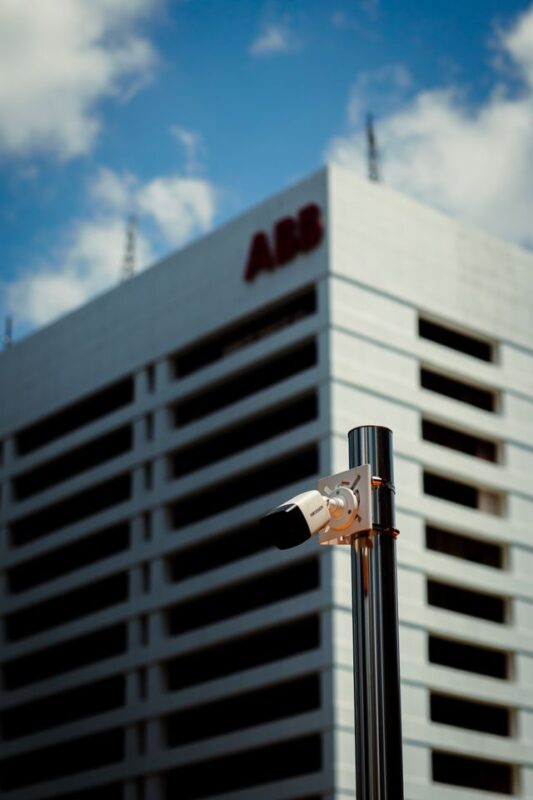
According to the National Retail Federation’s National Retail Security Survey, retail shrink cost $112.1 billion in 2022. While we can toss that stat around, its real-world implication is pretty clear: the camera system right above your register is not there for aesthetics. It’s one of the few solutions that truly make an impact on loss prevention, but it will only be effective if it’s right for the environment you’re trying to secure.
Most purchasers approach this process backwards by looking at a spec sheet – resolution, brand, price per unit – and working from there. A camera that’s the perfect fit for a loading dock is going to severely underperform at a glass front storefront. A dome that looks great in an office lobby isn’t going to survive a parking garage. The environment tells you what you need. The camera just has to answer.
Why “Operational Environment” Should Drive Every Camera Decision
A retail floor, a warehouse, and an open-plan office all have wildly different lighting, foot traffic, vandalism exposure, and privacy rules. Sunlight through storefront glass creates backlighting problems a warehouse never sees. A loading yard needs weatherproofing a server room doesn’t. An office has strict rules around recording employees that a public sales floor doesn’t face in the same way.
Treating these as one buying decision – “we need CCTV” – is how businesses end up with cameras that technically work but don’t actually deliver usable footage when something goes wrong. The better approach is to map the specific risks in each zone, then pick hardware that answers those risks directly.
Retail Stores: Four Zones, Four Different Jobs
Retail is rarely one camera problem. It’s four separate ones stacked under a single system.
Entry and exit points need a tighter field of view and enough resolution to capture a usable face shot, not just a body walking through a doorway. This is also where wide dynamic range becomes non-negotiable. Big glass entrances facing direct sun will blow out a standard camera’s sensor, leaving you with a black silhouette instead of a person. WDR compensates for that contrast and is one of the cheapest upgrades that actually changes whether footage is usable.
The sales floor is a different problem entirely. Here you want broader coverage – a wider lens, sometimes a fisheye or multi-sensor camera – to track movement patterns, shrinkage hotspots, and general behavior rather than individual faces. Overview matters more than pixel-level detail in this zone.
Point-of-sale terminals deserve their own camera, positioned to capture the transaction itself: hands, register drawer, screen. This footage gets correlated against POS transaction logs, which is one of the most effective loss-prevention techniques retailers use. When a refund or void looks suspicious on paper, matching it against the actual video of that transaction is often what turns a hunch into evidence.
The stockroom and loading door is where a lot of the internal shrink – the unperceived losses a retailer incurs over its daily operations – in fact, occurs. This might be due to staff theft, errors or incorrect product ordering and if you’re in a high crime area, you might also suffer from regular break-ins to steal inventory. The stockroom in a smaller store may just be a space under a staircase or a crowded part of the same room as your monitoring station, for larger operations you’ll certainly need this zone’s camera to focus on what matters most using video analytics like loitering detection for people hanging around your high-value storage for too long.
Each of these four zones calls for a different lens and resolution strategy. Trying to cover all of them with one generic camera type is how blind spots happen. This is also where sightline planning becomes genuinely technical – wall heights, mounting angles, and existing lighting all change what a camera can actually see. A professional integrator handling cctv installation perth will typically walk the site first, map out where glare, blind corners, and mounting constraints exist, and build the camera layout around that – rather than buying equipment first and hoping it fits the space.
Why More Megapixels Doesn’t Mean Better Identification
People often assume that if a camera has a higher resolution, it will produce better images. But it’s really the number of pixels and the distance they’re covering that counts. For example, having a 4K camera, but using a 2.8mm lens and attempting to monitor a large area will result in a poor image that lacks detail. The same camera with the right lens, or with a varifocal lens adjusted to the precise distance of the area you’re monitoring, might give you the image you need to make a positive identification. It’s for this reason that the lens size and the field of view are just as important as the sensor resolution, if not more so.
Warehouses and Loading Yards: Durability Over Aesthetics
Warehouses and outdoor perimeters require different camera features. The aesthetics of a bullet camera are not important here, it’s meant to look industrial. What you need to consider are features such as weather resistance and low-light performance since a lot of loading activity takes place early in the morning or late at night.
IP66 or IP67-rated housings are able to withstand rain, dust, and temperature fluctuations, which would quickly damage a standard indoor camera. In terms of lighting, infrared capability or a separate infrared illuminator is necessary for any area covering a yard or perimeter fence once it gets dark. If you overlook this feature, the camera will perform well during the day but only capture black frames during the night, precisely the time when most thefts and break-ins occur.
For staff car parks and gate access, license plate recognition (ANPR/LPR) is a good investment if you require monitoring or auditing of vehicles entering and leaving the site. This is a more specific use case compared to general surveillance, however, it provides a solution to a problem that cannot be solved by using general wide-angle cameras.
Offices and Shared Spaces: Coverage Without Overreach
Office environments are the most privacy-constrained of the four – staff-facing areas, break rooms, and obviously bathrooms and changing areas are all likely to carry legal restrictions in most jurisdictions, and audio is often regulated separately from video. Getting this wrong isn’t just a compliance headache, it can expose a business to real liability.
Practical approach here is coverage focused on entry points, common areas, and asset-heavy zones like server rooms or supply storage, rather than blanket coverage of every desk and hallway. Visible signage indicating a space is under video surveillance is a legal requirement in most places, and also does some of the deterrence work on its own. Vandal-resistant IK10-rated domes make sense in shared building lobbies and lift areas where the camera is publicly accessible and tampering is a real risk. Standard indoor domes are fine for private office interiors where that risk doesn’t exist.
Matching Form Factor To The Actual Risk
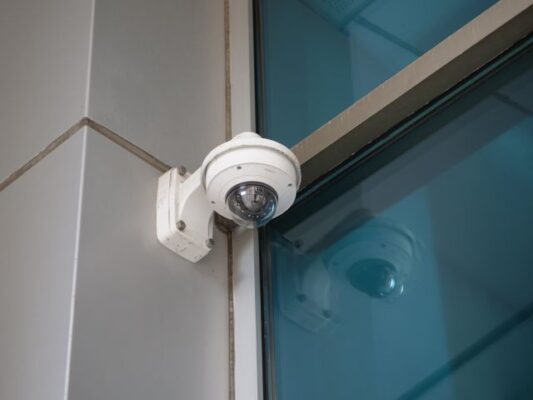
Dome, bullet, turret, and PTZ cameras are not just randomly picked designs from a hat – each serves a different purpose. Domes are low-profile and it’s difficult to see where the camera is pointing, useful in retail and lobby situations where you want the monitoring but not the camera to be in your face. Bullet cameras are very obvious and clearly point at something, and are ideal for perimeter or yard situations where keeping unwanted people away is as important as catching them if they get in. Turrets are a nice compromise between the two and are often found in retail ceiling installations, where they are easy to adjust without any of the fisheye issues domes sometimes have. Lastly, PTZ cameras are expensive to install and to use (you need a person watching the console), but work great in wide-open areas like a warehouse or parking structure where a single PTZ can cover the area of three or four fixed units.
Storage, Compression, and The Analytics Layer
Selecting the right camera is just a start. Storage often gets shortchanged in the budget, making it the most likely cost to balloon post-install. The number of days you want to store, frame rate, and resolution multiply to give you the true amount of NVR storage you’ll require. A retailer who wants one week of retention at a low frame rate won’t require nearly as much storage as a retailer who requires one month of retention at a high frame rate. H.265 compression is helping here, as the newer standard cuts down on storage requirements and bandwidth over the old H.264 standard without as dramatic of a loss in quality.
Video analytics are no longer an expensive addition to a system. In retail applications, people counting, loitering, and line crossing are fairly common. These can help you automatically detect abnormal behavior rather than having to have a guy stare at twelve monitors for eight hours. Combined with the POS, they can turn your system from one that passively records to one that can interrupt in real time.
Cabling and Mounting Constraints Nobody Budgets For
Power over Ethernet has made installation for many commercial cameras much easier, as a single cable can carry both power and data. However, it has a hard limit of about 100 meters per run before the signal degrades. This becomes a big deal on large warehouses or multi-building sites where the cameras are far from the network switch. If you plan your cable routes and switch placement before you ever order a camera, you can avoid a situation where half your cameras would need extenders or a separate power solution bolted on after the fact.
Field of view math changes when you start extrapolating it from your desk to a real wall, based on mounting height and whatnot. If a lens angle covers a doorway perfectly at a 3m ceiling height, that same doorway will be barely in the picture on a wall at a 4.5m ceiling height. This is the kind of detail a site assessment is able to catch before money is spent on a solution.
The Spec Sheet Isn’t The System
It is important to select the right cameras, however, this is only half the story. Placement, lighting conditions, mounting constraints, and how the footage integrates with retention policy and analytics all decide whether the system actually reduces loss or just generates footage nobody reviews until it’s too late. Start with the environment, let the risks define the requirements, and the equipment choice gets a lot easier to make.
Reading about selecting commercial security cameras on The Stuff of Success offers sharp surveillance system insights! Evaluating resolution specs, optimizing coverage angles, and securing different operational environments are definitely not Easy Games, but expert buyer guides like this make business asset protection so much clearer!